Small business website design examples: 6 designs and what makes them work
Nov 9, 2026 · Taylor
A good small business website doesn't need to be flashy. It needs to look like it belongs to your business, say what you do in the first few seconds, and make the next step obvious. Here are six small business website design examples, from a florist to a plumber, with a plain-English look at why each one works. At the end there are five checks you can run on your own site in a few minutes.
Full disclosure: these six sites were made with Yes Boss Websites, our own service, so we're not neutral. The businesses are made up and the designs are real.
See your website in a minute
Describe your business in a sentence and see a finished website in about a minute. You only pay if you love it: A$9 a month or A$89 a year, no setup fee, hosting and changes included.
See my website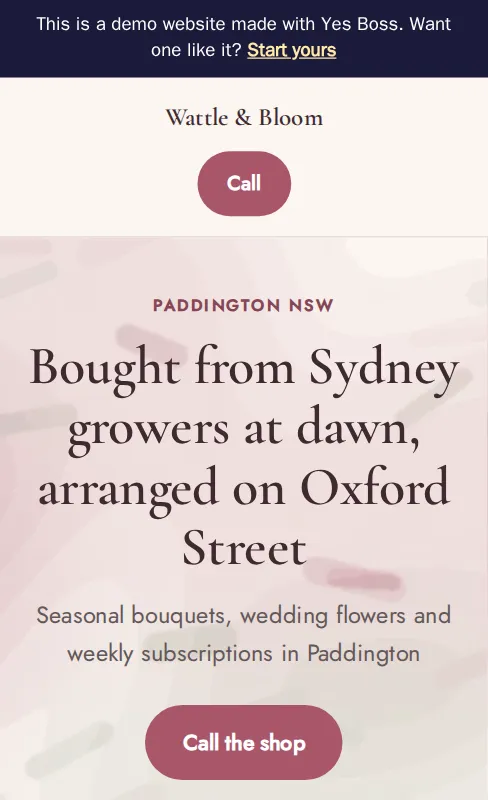
Why does each design work?
Wattle & Bloom, a florist in Paddington
The headline is specific: flowers bought from Sydney growers at dawn, arranged on Oxford Street. A soft pink palette and a graceful serif typeface suit flowers, and there is one button, "Call the shop". Nothing competes with it.
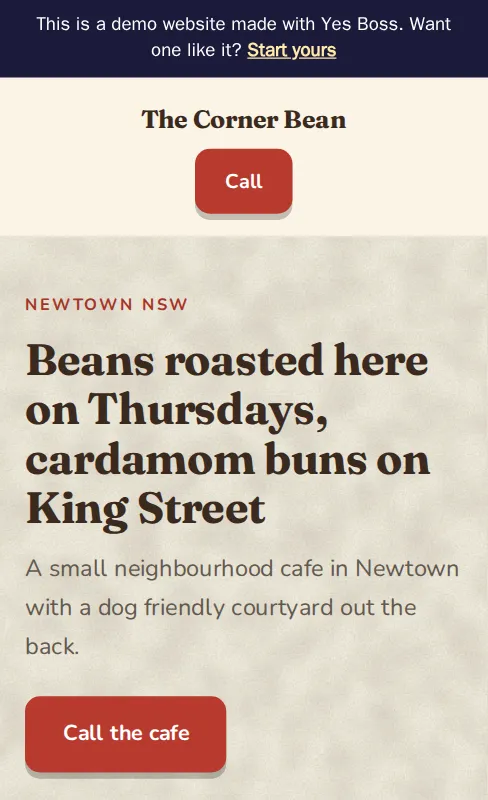
The Corner Bean, a cafe in Newtown
"Beans roasted here on Thursdays, cardamom buns on King Street" tells you more than "welcome to our cafe" ever could. The warm paper texture and heavy serif feel like a neighbourhood cafe, and the button says what it does: "Call the cafe".
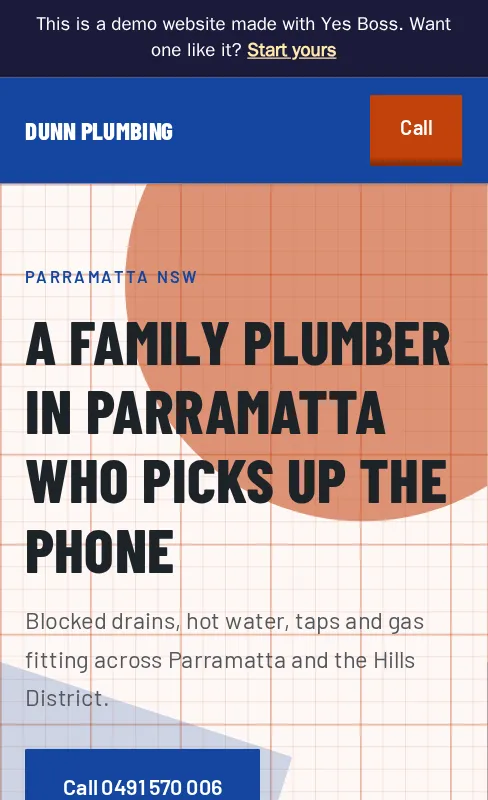
Dunn Plumbing, a plumber in Parramatta
A bold, condensed typeface and a blueprint-style grid suit a trade. The headline says who, what and where ("A family plumber in Parramatta who picks up the phone"), and the main button shows the phone number itself, so a customer with a blocked drain can see it and tap it.
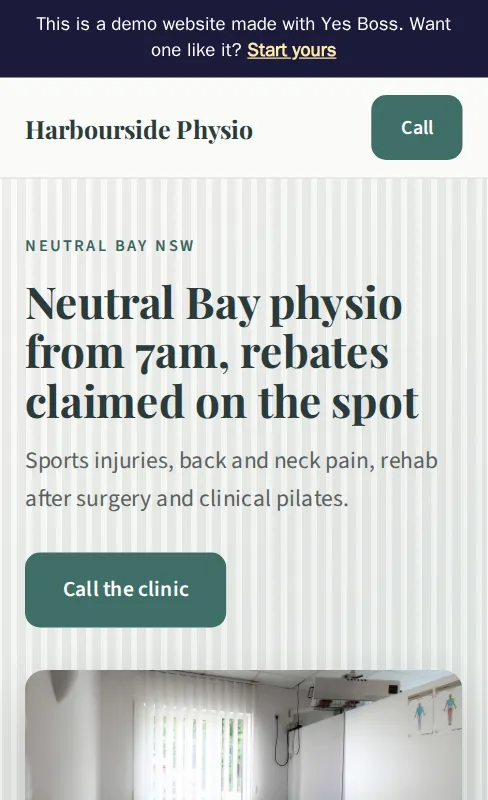
Harbourside Physio, a clinic in Neutral Bay
Calm greens and a clean serif heading say trustworthy and professional. The headline answers two questions customers have before they've asked them: the opening time ("from 7am") and the rebates ("claimed on the spot").
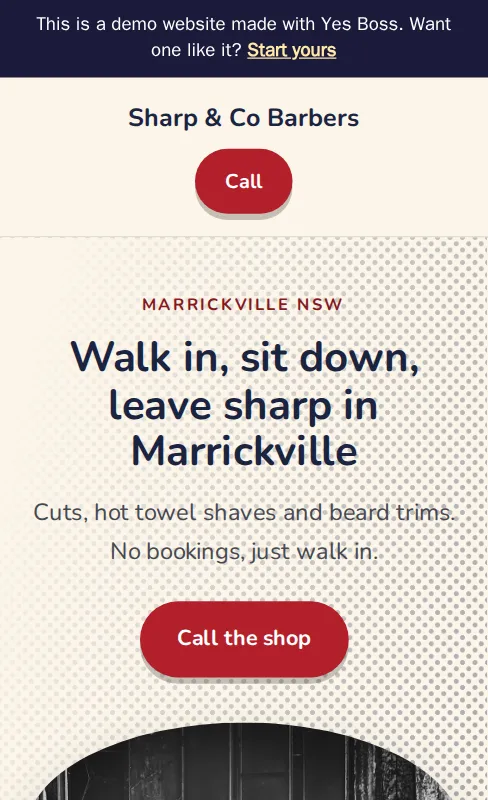
Sharp & Co Barbers, a barber in Marrickville
"No bookings, just walk in" answers the first question a new customer has, right under the headline. The halftone dots and rounded buttons give it personality without getting in the way of the call button.
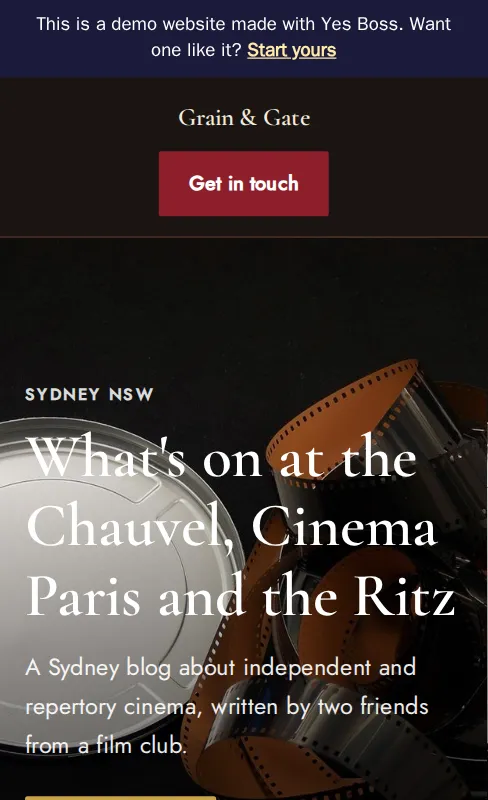
Grain & Gate, a film blog in Sydney
Not every site is for a business. This one is for a blog written by two friends from a film club, and the dark, cinematic design suits the subject. The same approach works for clubs, hobbies and side projects.
Five checks to run on your own website
You can do these in five minutes, on your phone.
- Say what and where in the first line. Business.gov.au tells owners to put the most important information first. Does your first line say what you do, and where? "Plumber in Parramatta" beats "Welcome".
- Make one next step obvious. One main button, in a colour that stands out, with words that say what happens: "Call the shop", not "Click here".
- Match the look to the job. Type, colour and texture should feel like your business. A barber and a physio shouldn't look alike, and customers sense it even if they can't say why.
- Answer the first question. Hours, prices, "walk-ins welcome", "rebates claimed on the spot": whatever customers ask before they ring, put the answer near the top.
- Test it on a phone. Business.gov.au says mobile devices are responsible for over half of the world's internet traffic, and Google says it uses the mobile version of a site's content for indexing and ranking. Can you read it without zooming and tap the button with your thumb?
How do I brief a designer, or a done-for-you service?
You don't need design words. Five sentences are enough to get a good first version from anyone:
- What you do and who for.
- Where you are or which suburbs you cover.
- The one thing you want customers to do: call, book, visit.
- What makes you different, in your own words: "no bookings, just walk in".
- A site or two you like, and why.
Whoever you work with, ask to see the result before you pay, and ask whether you can take the website with you if you leave.
Frequently asked questions
What makes a small business website look professional?
A clear first line about what you do and where, one obvious next step, a look that suits the business, and a layout that works on a phone. Fancy effects matter much less than those four.
How many pages does a small business website need?
For most small businesses, five pages or fewer is enough. Our small business website checklist lists what to put on them.
How do I know if my website design is out of date?
Check the copyright year, how it works on a phone, the padlock in the browser and whether your hours and prices are right. Our guide to the 7 signs your website needs updating walks through each one.
Can I get a website designed for my business without a designer?
Yes. You can use a builder yourself, which we compare in our list of free website builders in Australia, or a done-for-you service like ours. Yes Boss Websites is A$9 a month or A$89 a year, with no setup fee, hosting, a free web address and up to two changes a month included.
Sources
Facts quoted from the pages below, checked 9 November 2026.
- Set up a business website, business.gov.au
- Mobile-first indexing best practices, Google Search Central
- Yes Boss Websites pricing (our own site)
Ready for your website, boss?
Tell us about your business and see your site before you pay a cent.
Build my website